macOS
Install MatrixIntervals on macOS.
Follow these steps to install and launch MatrixIntervals on macOS.
Download MatrixIntervals
Download the latest macOS version of MatrixIntervals from the download page.
Download1. Allow applications from known developers
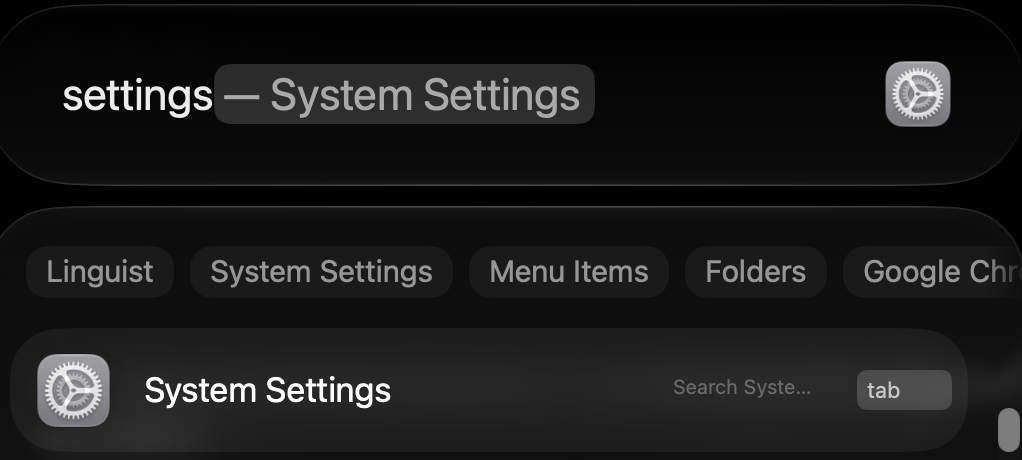
Open System Settings.
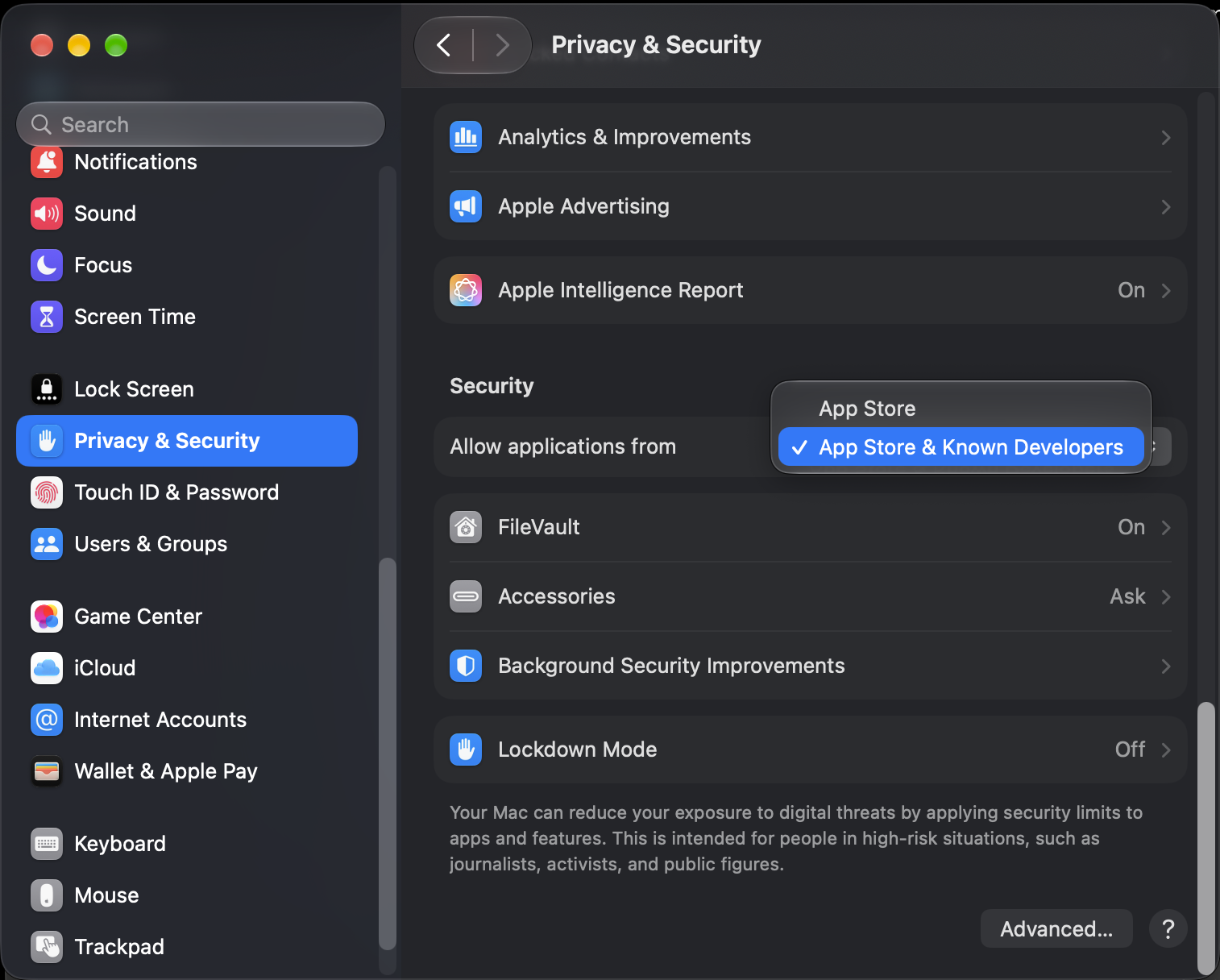
Open Privacy & Security and set Allow applications from to App Store & Known Developers.
2. Open the installer
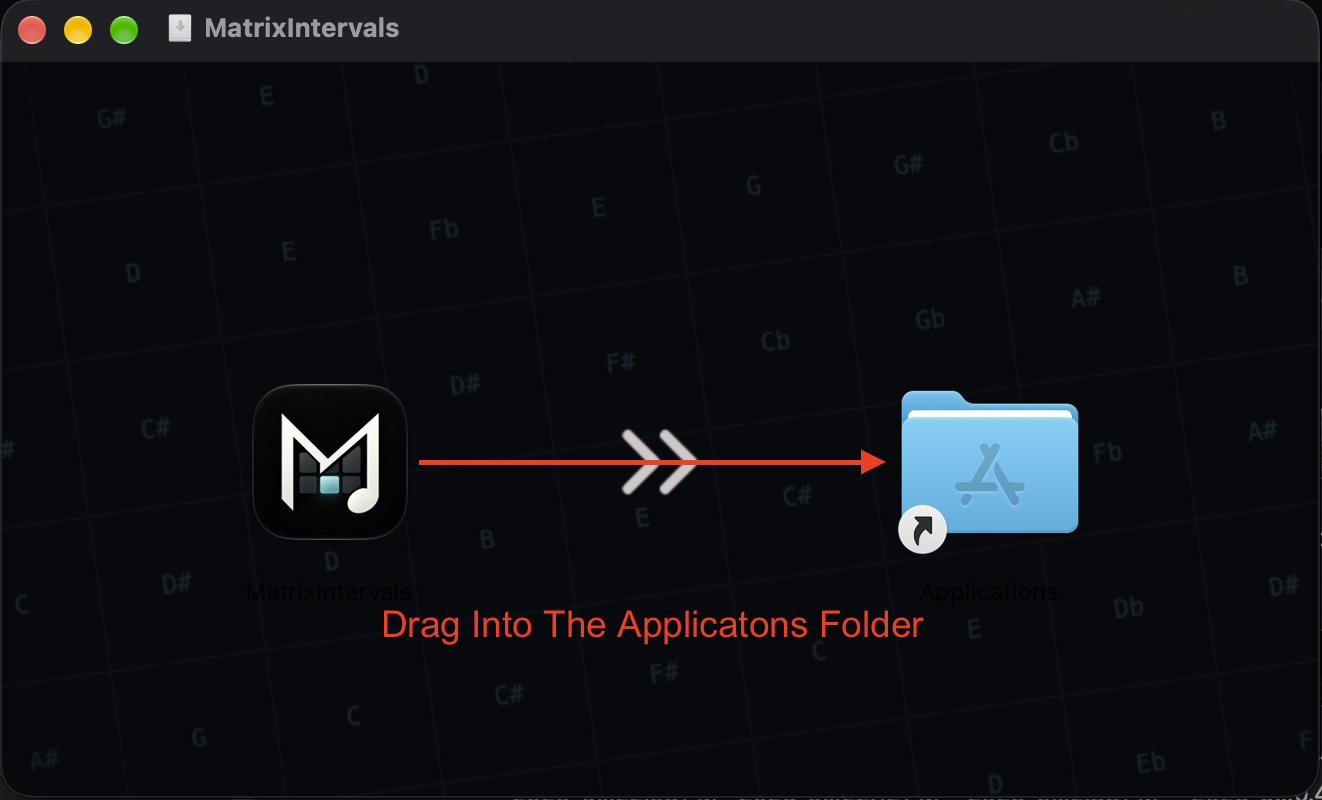
Open the downloaded .dmg file,
then drag MatrixIntervals into your
Applications folder.
3. Launch MatrixIntervals
Open MatrixIntervals from your Applications folder, or launch it using Spotlight.
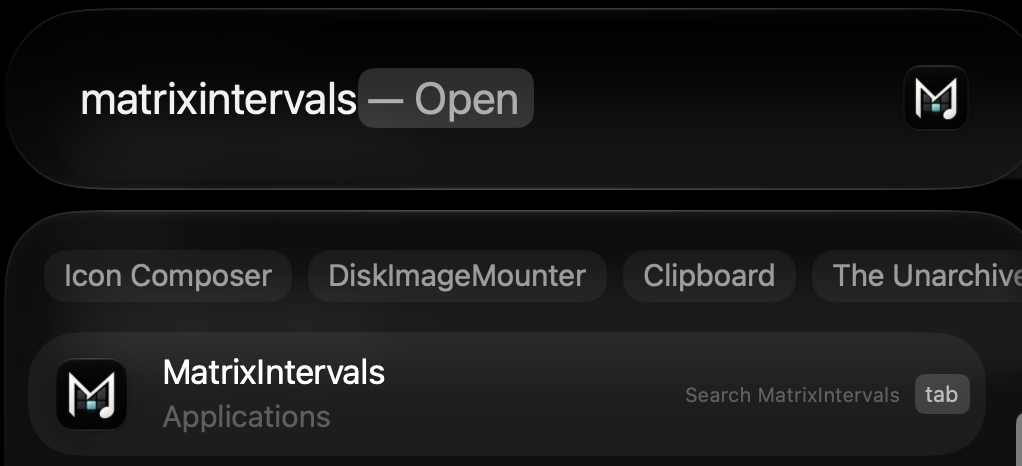
4. Allow MatrixIntervals through Gatekeeper
Gatekeeper may block MatrixIntervals the first time you launch it. In that case, you can manually allow the application through System Settings.
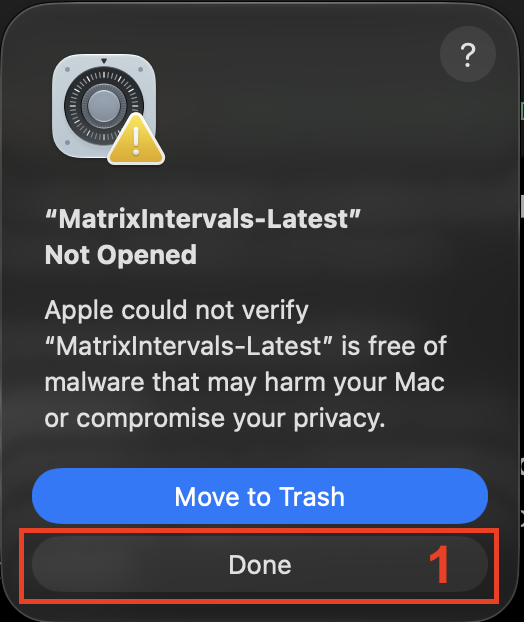
Open System Settings, go to Privacy & Security, and click Open Anyway.
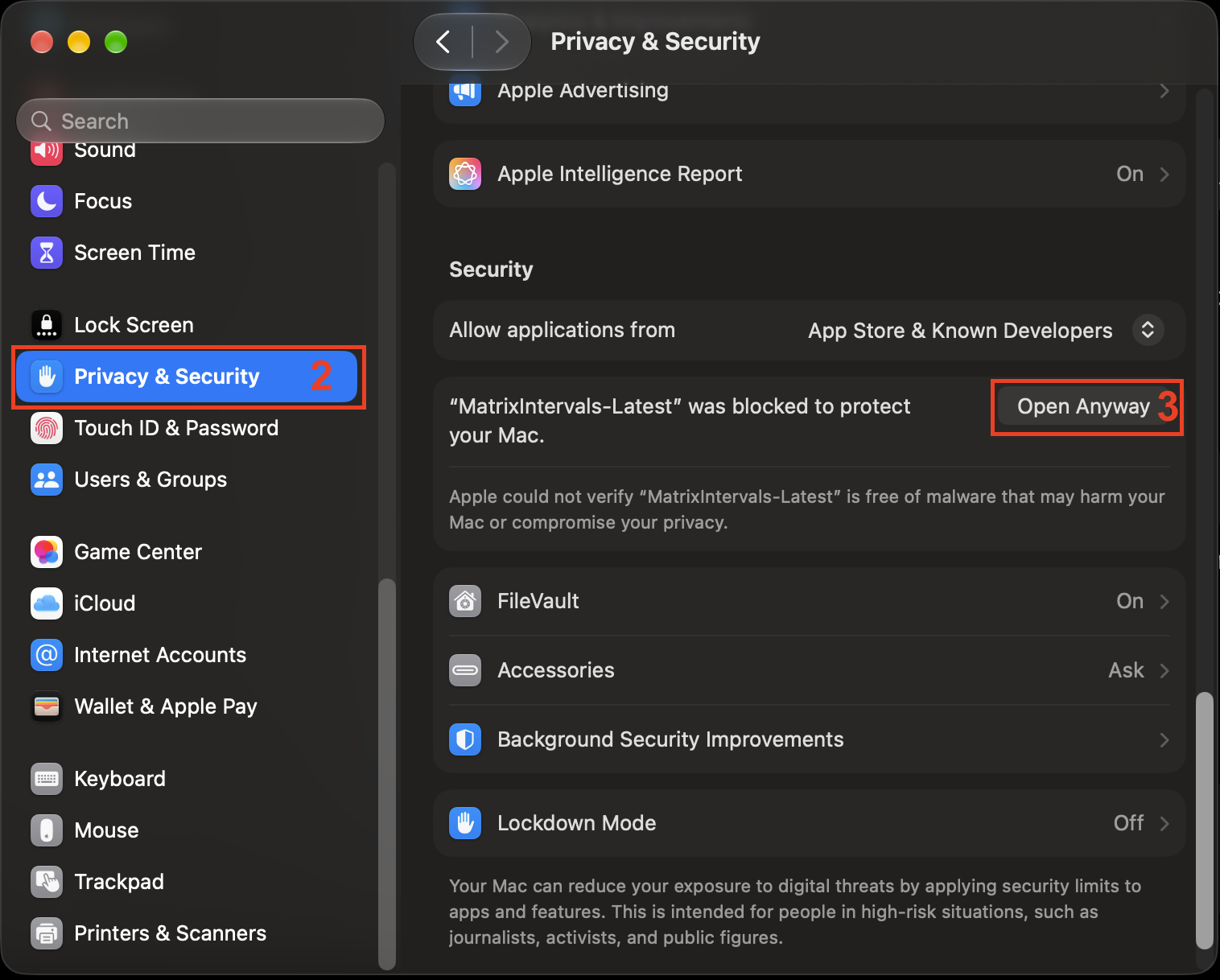
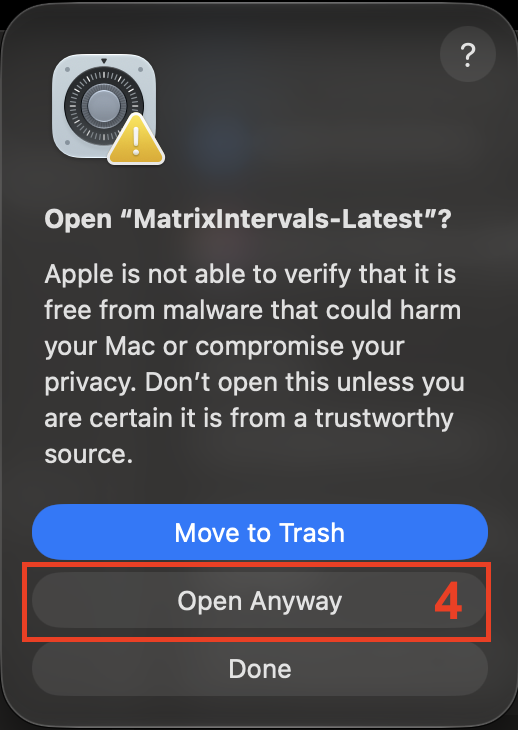
A confirmation dialog will appear. Click Open Anyway to allow MatrixIntervals to launch.